


How to Measure Your Kitchen For Cabinets
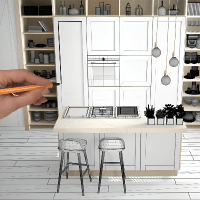
Measuring your kitchen for cabinets can be easy. Used together, our step-by-step video, How to Measure Your Kitchen, and our Cabinet Measuring Guide show you exactly what you need to measure your space. Below you will find instructions on sending your measurements to your designer.
Watch the Video
Learn how to measure your Kitchen Space
Measure Your Space
Send Measurements
Learn How to Measure Your Kitchen Space
Use our Measuring Guide to sketch and measure your kitchen. If you have questions or get stuck, give us a call at 888-350-1242.
How to Send Us Your Kitchen Measurements
The easiest way to send your kitchen measurements is to scan your drawing or take a picture and save it to your desktop, tablet or phone and then email it to our Design Team. It’s also helpful for your designer to see photos of your current kitchen.
You may only email a total of 15 mb in one email. If your files are larger than that you can submit multiple emails. Please be sure to include your contact information and email your measurements to: designteam@cliqstudios.com
Mobile Phone
Take a picture (or a series of pictures) of your measurements on your smart phone and you can email them directly to designteam@cliqstudios.com, You can also attach your layout and text it to your Designer’s phone number or to 888-350-1242. Please be sure to include your contact information.
If all else fails you can send your file via U.S. Mail. Keep copies for yourself and mail to:
CliqStudios
Attention: Design Dept.
2675 Breckenridge Blvd, Suite 250
Duluth, GA 30096
